
Publish with consent and approval.
Control personal data and review optional external AI processing before enabling it.
01Approve a testimonial
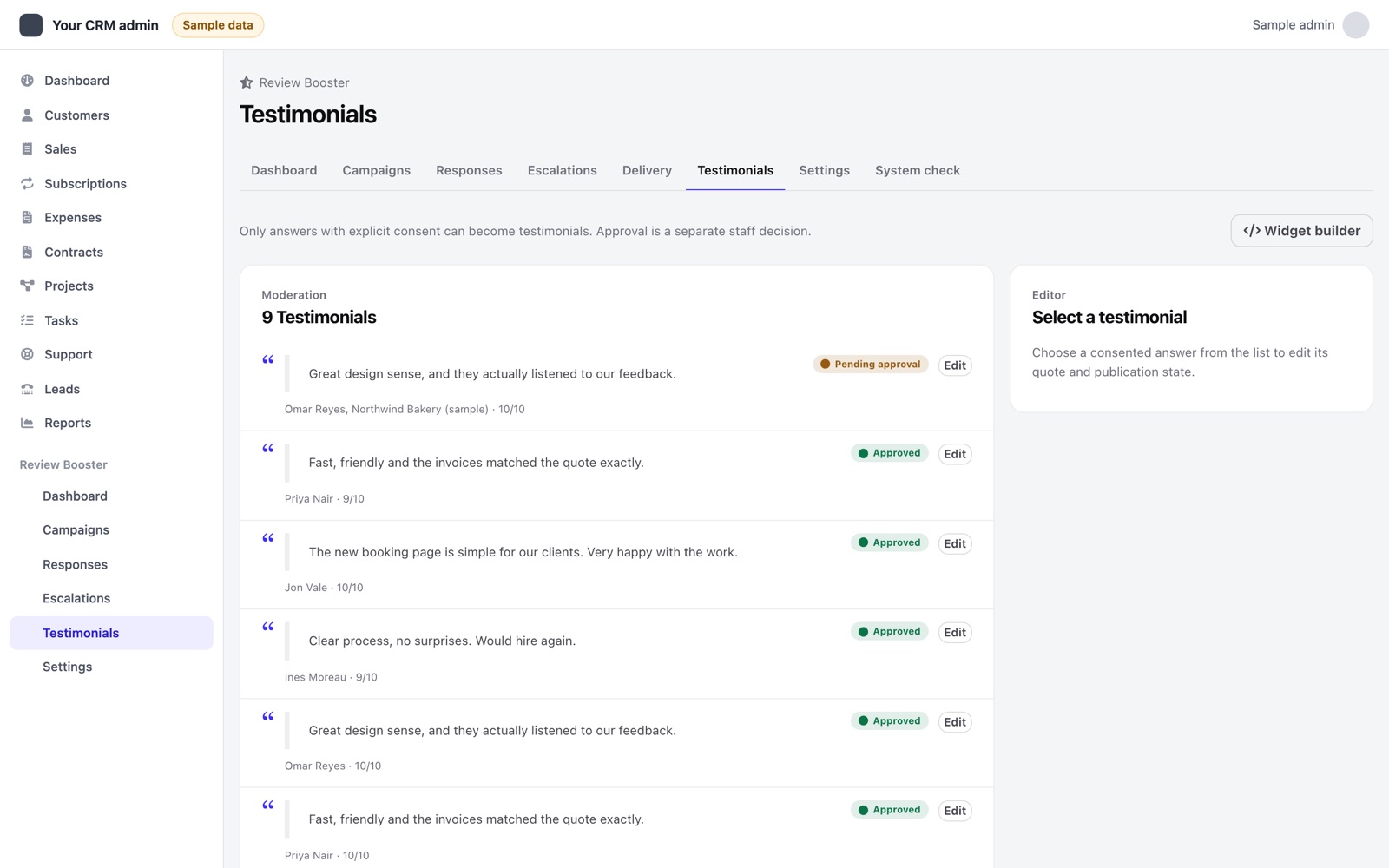
A respondent must give recorded consent before their quote can be published. Staff with Manage testimonials permission review the text and approve publication. Use the Testimonial widget builder to choose layout, theme and count, then copy its generated embed code into your website. An optional public testimonial page can be enabled in Settings.
The widget is designed without cookies. Review the public quote and displayed identity before approval. Test the embed on your own HTTPS site and check that its content matches the consent you obtained. The module does not collect video or image testimonials.
02Export and erase a contact
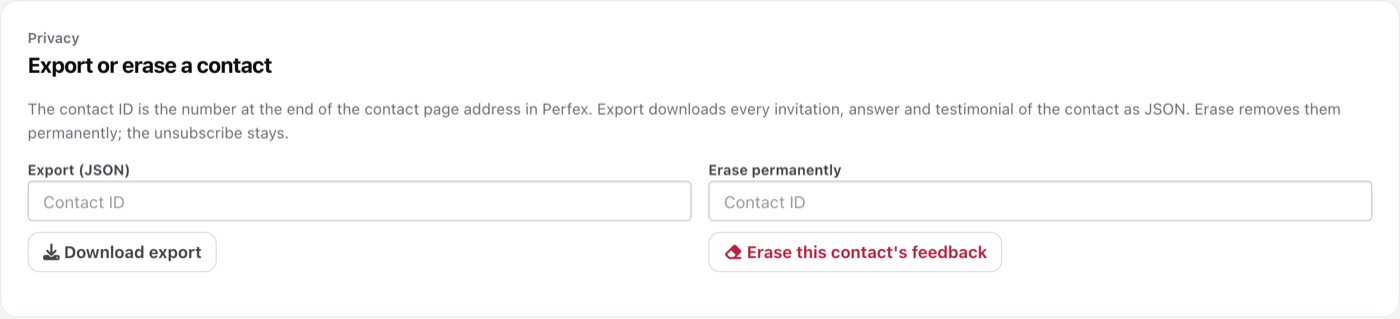
Settings includes contact-ID privacy export and erasure tools. Verify the correct contact ID in Perfex before proceeding. Export includes module invitations, answers, related recovery information and other supported module records. Erasure removes that contact's module invitations, answers, quotes, recovery records, delivery action history, click records and drafts. Unsubscribe suppression is retained so the person is not automatically surveyed again.
These operations do not erase the Perfex customer record or independently remove tasks/tickets already created in Perfex. Review those records and your backups under your own retention process. Erasure is destructive; export and back up required records first.
03Optional AI drafts
AI is off by default. The survey and recovery workflow works without it. If enabled, select a supported provider, enter your own credentials and an available model, configure call limits and use the settings connection test. Use Test connection in Settings to check your key and model before staff rely on it.
AI usage is billed by your provider to your own account and is not included in the item price. Anthropic Claude, OpenAI, Google Gemini and OpenRouter charge per use under their own pricing; Ollama runs on your own server; any OpenAI-compatible endpoint follows its own terms. The monthly and per-staff daily call limits in Settings cap how many calls the module makes.
AI actions can draft recovery replies, suggest testimonial wording or summarize themes. Staff review the output; recovery reply drafts require approval before sending. Do not treat generated text as a verified customer statement or silently replace the respondent's consented quote.
Before enabling AI, assess the customer feedback sent to your chosen endpoint, provider retention and your privacy notice. Keep API keys private. Call-count limits are not a currency spending guarantee. The audit log is hash-chained; it is not immutable against an administrator with database access.