
Read the period and sample together.
Understand NPS, CSAT and invitation cohorts before comparing results.
01NPS and CSAT
NPS uses NPS answers only: promoters score 9–10, passives 7–8 and detractors 0–6. NPS is the rounded percentage of promoters minus the percentage of detractors. CSAT is the rounded percentage of CSAT answers scoring 4 or 5. CSAT answers do not enter NPS. An absent sample is shown as no result rather than an invented zero.
Read the sample count with every score. Small samples can change sharply after one answer. The dashboard also groups NPS by available trigger, staff and customer-group segments. A customer may belong to more than one group, so group totals are not necessarily additive.
02Calendar dates and invitation cohorts
Answer totals and scores use answers recorded inside the selected date range. Response rate uses invitations sent in that range and the proportion that have an answer, including answers submitted later. These are different populations: dividing the visible answer total by the invitation total can produce a different number.
Date selections include both endpoint days in the CRM time zone. The previous comparison covers the preceding equal number of calendar days. Trend buckets adapt to the length of the selection, grouping long history without dropping its final answers. Empty score buckets have no NPS.
03What drives the score
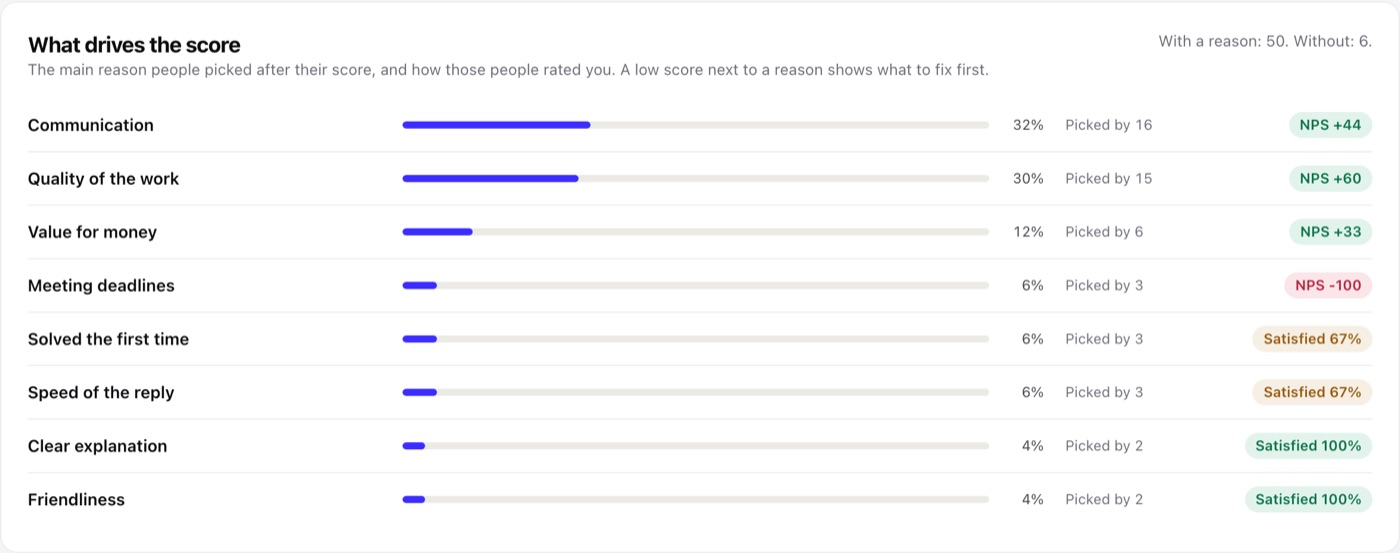
After the score a campaign can ask one more question, for example "What mattered most to you?", with up to eight reasons you write. Every ready campaign asks it. The dashboard card What drives the score lists each reason with its share of the answers that carry a reason and the NPS, or the share of satisfied CSAT answers, of the people who picked it. A low score next to a reason shows what to fix first. Click a reason to see its answers.
The chosen reason also appears on the answer, the recovery case, the customer tab, the low-score alert e-mail, the CSV export and the privacy export. Answers saved before you enabled the question simply have no reason.
04Export answers
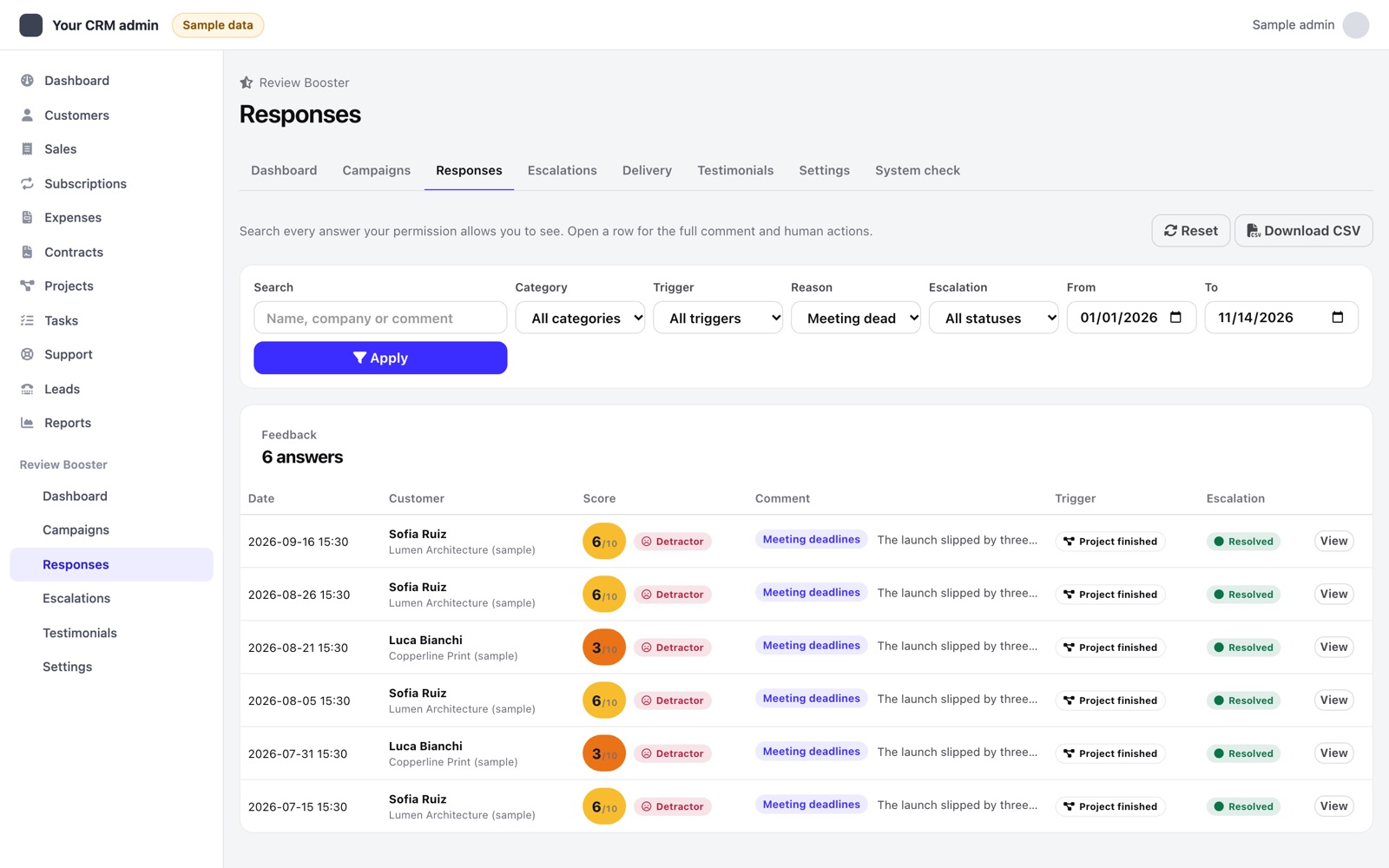
On Responses, Download CSV exports every answer the current filters show, not just the visible page, with the same access rules: staff with "view own" export their own customers only. The file is UTF-8 with a byte order mark so spreadsheets show accents correctly. A cell that starts with =, +, - or @ is prefixed with an apostrophe so a spreadsheet never runs a customer comment as a formula.
05Monthly report and dashboard widget
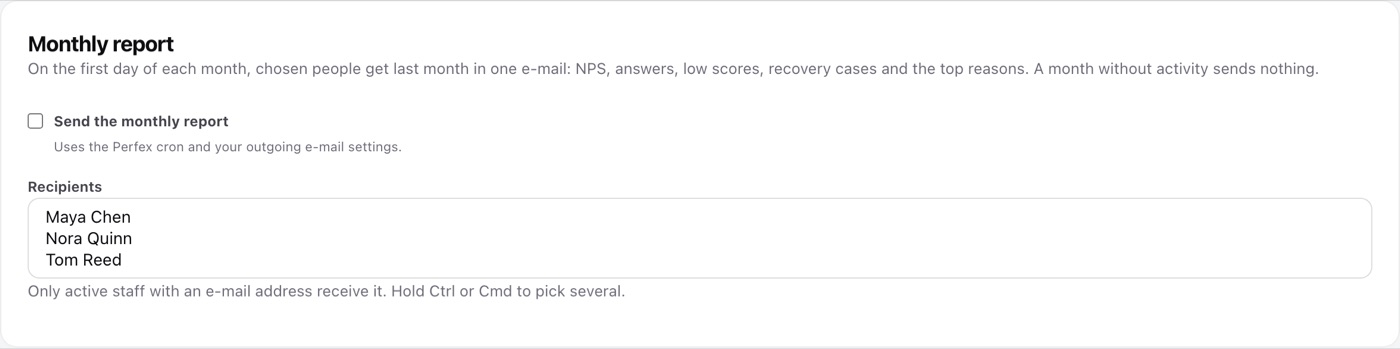
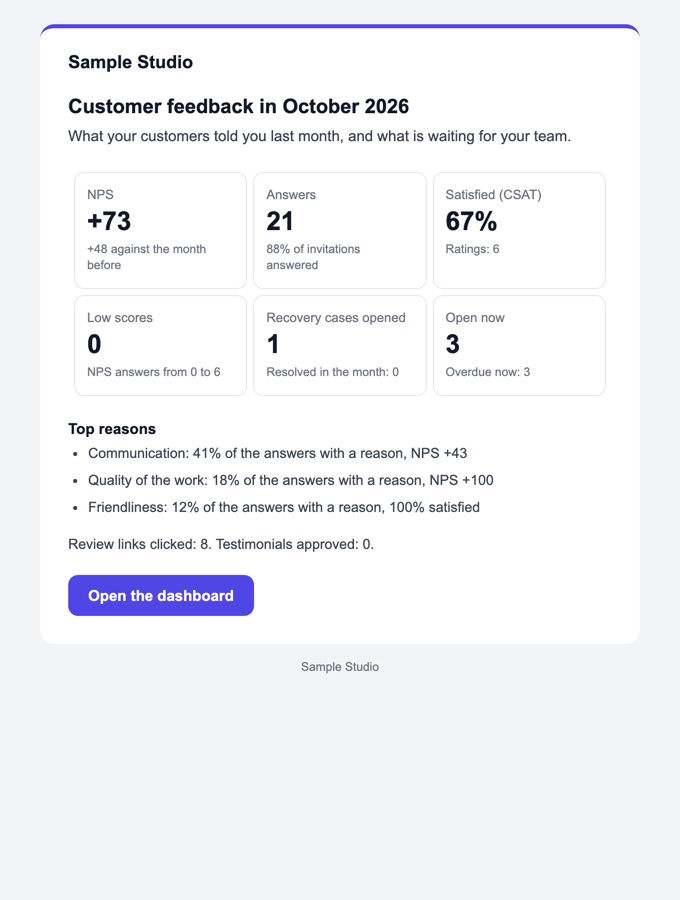
In Settings → Monthly report choose who receives last month's feedback on the first day of each month: NPS and its change, answers and answer rate, satisfaction, low scores, recovery cases opened, resolved, open and overdue, the top three reasons, review clicks and testimonials approved. A month without invitations, answers or cases sends nothing. Send me last month's report sends it to you at once.
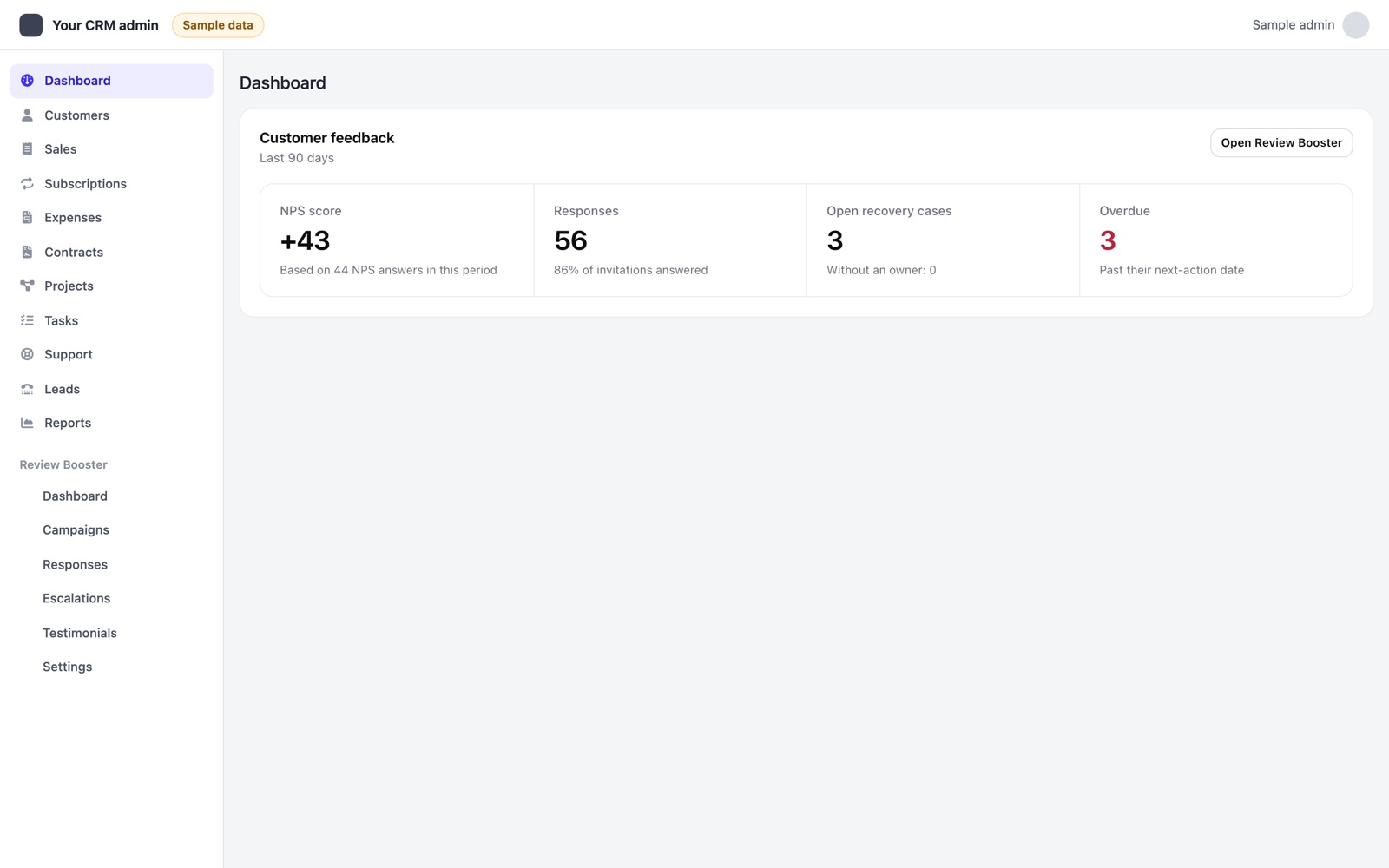
The Perfex dashboard shows a Customer feedback widget with the last 90 days: NPS, answers, open recovery cases and overdue ones. It follows the same access rules and a dark Perfex theme.
06What a review click means
Review clicks count visits through the module's review links during the selected period. They are not confirmed public reviews, unique customers, platform ratings or evidence of revenue. Reported staff/customer groups reflect the module's stored associations and your access scope.