
Diagnose the queue before resending.
Separate scheduling, transport acceptance and inbox receipt.
01Scheduled invitations
Check that the campaign is active, its sending window is open and Perfex cron is running. Frequency limits, excluded groups, unsubscribe records and campaign delay can prevent or postpone delivery. Paused campaigns leave queued invitations waiting without using the active delivery batch.
Review the invitation's status and recorded delivery error where available. Template preparation failures use bounded retries; there are at most three invitation attempts, with 30 minutes before a retry. Check content and mail settings before considering a new invitation. Do not reset database statuses or run internal development scripts against your CRM.
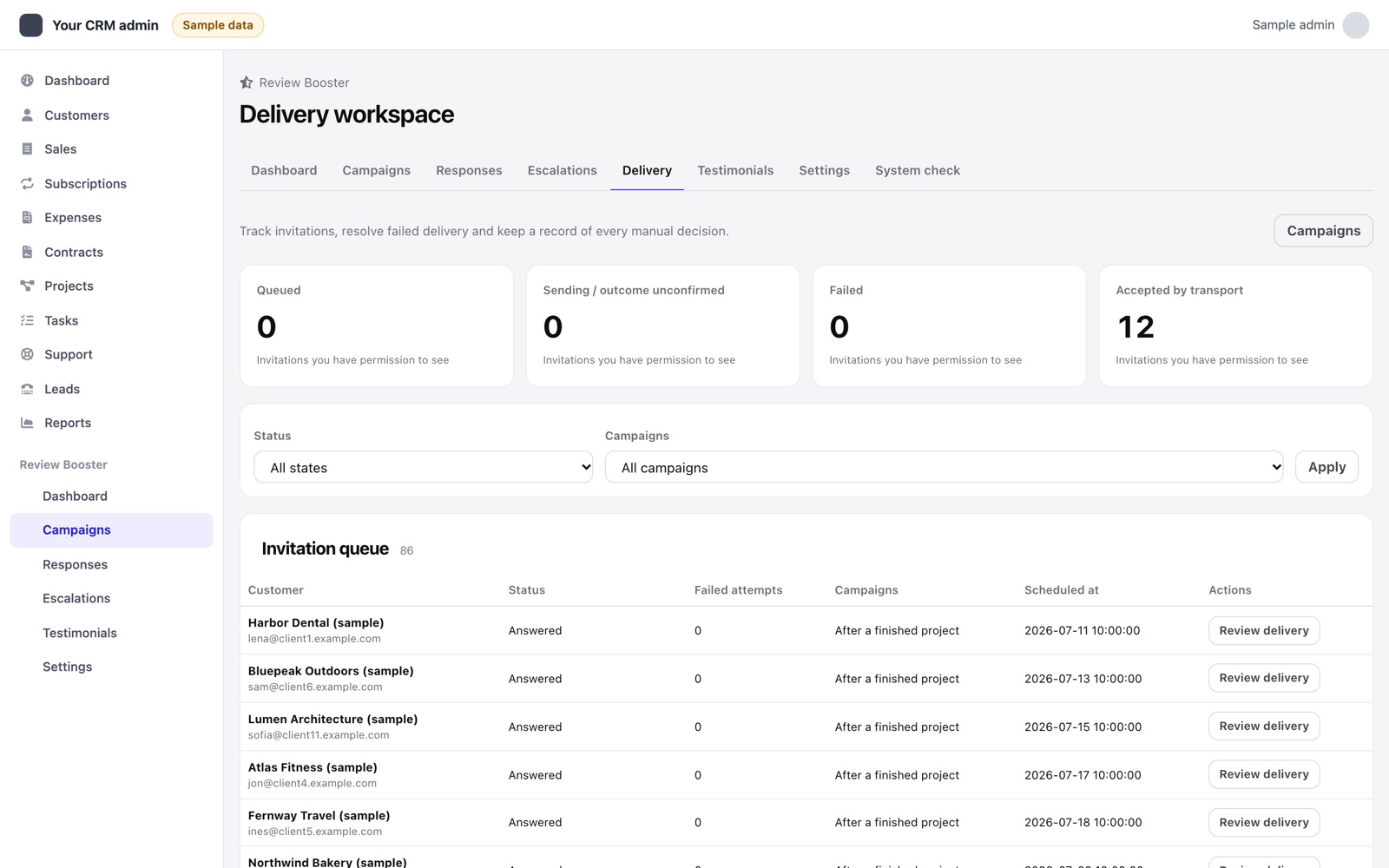
02Use the Delivery workspace
Open Delivery to review the scoped invitation queues and safe error categories. Retry is available only for failed invitations and requires an explicit confirmation and a note of at least 10 characters. The campaign must be enabled and the recipient must still be subscribed. Delivery actions need Create permission; Create or Edit grants access to the workspace. If the record changes while the form is open, reload and review it before acting. Cancelling a pending or failed invitation stops that invitation; it does not recall a message already accepted by a mail system. An uncertain sending record also blocks another invitation to the same contact until reconciled. Staff delivery actions are recorded in the invitation history.
For an uncertain sending record, stop the worker and examine the mail-server logs first. Only confirm non-delivery when those logs establish that no message was accepted. Mark the record failed with a note, then make a separate retry decision. If the result remains uncertain, leave it for investigation. This workflow cannot provide exactly-once email delivery.
03Uncertain transport results
A timeout or interrupted process can leave it unclear whether the mail system accepted a message. Check the CRM/mail-server logs and the controlled inbox before attempting another send. A successful transport handoff does not establish inbox placement. Avoid creating a duplicate invitation to work around an uncertain status.
Review reminders are a single attempt for respondents who have not opened a review destination, regardless of score. Template preparation failure keeps that attempt available. Once handed to the transport, an ambiguous reminder result is not automatically resent. Resuming a paused campaign does not create a second reminder attempt.
04Customer link problems
Check HTTPS, the CRM base URL, expiry, revocation and whether the survey has already been answered. Use the exact link from the current invitation. A copied or older reminder link may no longer be valid. Repeated requests can hit the public endpoint's rate limit; wait before retrying.
If the customer unsubscribed, respect that preference. Staff can revoke a survey link from its response/invitation workflow; revocation is not a recall of an email already delivered.
05Missing actions or destinations
Check staff capabilities using the permission table. Recovery follow-ups also need the corresponding Perfex task/ticket capability. Confirm that review destinations are enabled and selected for the campaign. They are never filtered by the respondent's score.
06Collect useful support evidence
Record your module, Perfex and PHP versions; the affected screen; the time and CRM time zone; expected and actual behaviour; and redacted error text. Reproduce on staging where possible. Remove email addresses, signed survey tokens, customer comments, API keys, credentials and database dumps before sharing.